
Write the Program
Giving directions to a friend who can't ask questions is hard: every turn has to be on the list. A robot is that friend. Plan the whole way first, because once it starts moving there is no fixing it.
Free sets by level, ages 4–10:
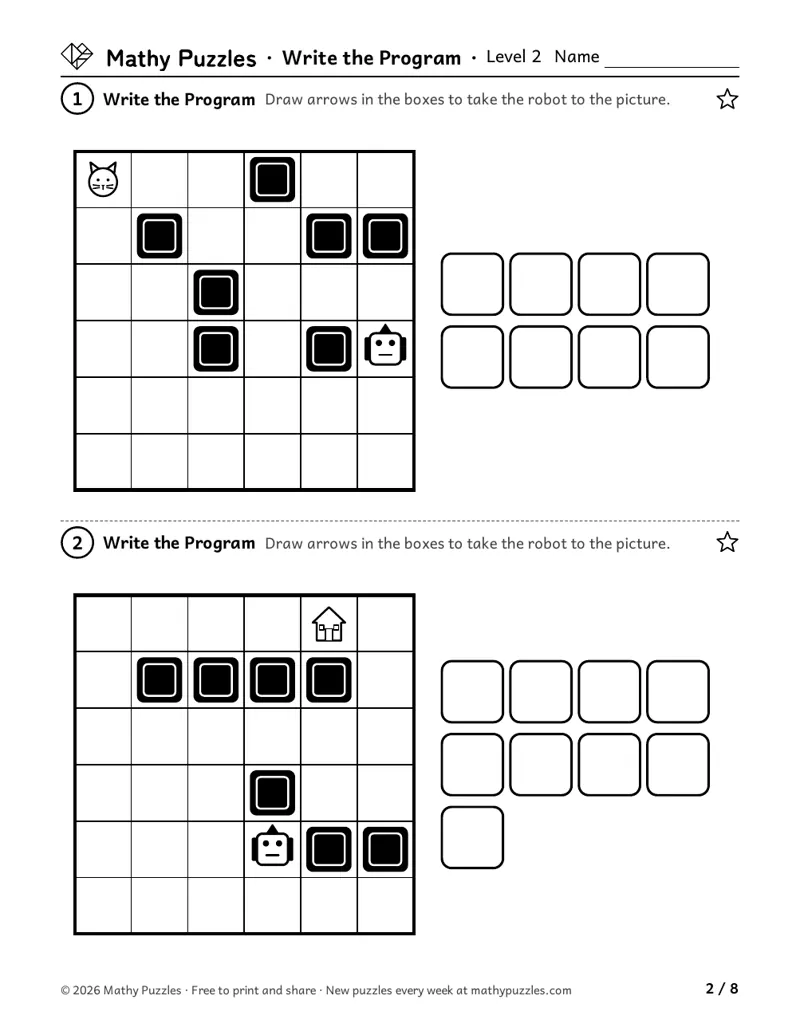 Level 2: a page from the free set
Before starting
- Know up, down, left and right
- Count to 10 (Level 1), to about 15 at Levels 2 and 3
- Level 3: know turn left and turn right
What you need
A tiled floor, or a grid drawn in chalk, to act it out (optional), and a pencil.
Free puzzles to print
Each set: a Learn sheet with a worked example, 10 puzzles from easiest to hardest, and the answers.
Level 1
Ages 4–6 · Pre-K–K
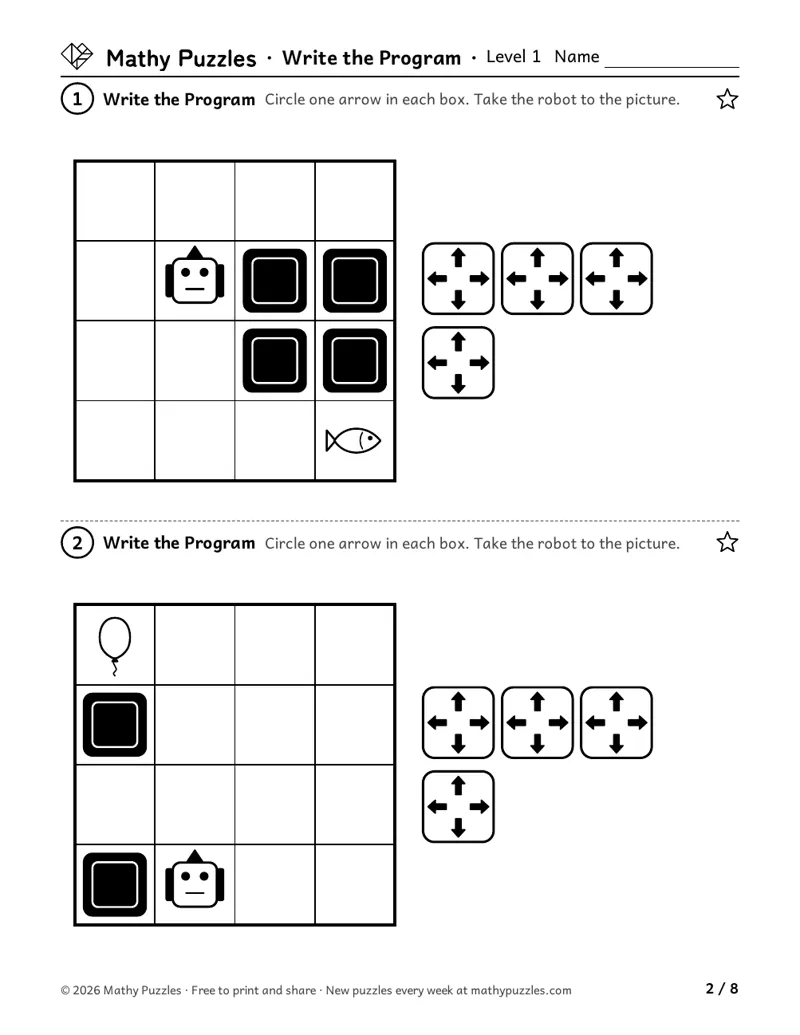
A 4 × 4 grid with 4 boxes, where each box prints four arrows to circle. Then 5 × 5 grids with 6, then 8 boxes, where rocks block the straight way. The hardest are 6 × 6 with 10 boxes, and the child draws the arrows.
On the sheet: “Draw arrows in the boxes to take the robot to the picture.”
Print Level 1 (Letter)Other paper size: A4Level 2
Ages 6–8 · Grades 1–2
Longer programs, apples to pick up on the way, then numbered arrows (→3 means three steps); the hardest have two apples and numbered arrows.
On the sheet: “Draw arrows in the boxes to take the robot to the picture.”
Print Level 2 (Letter)Other paper size: A4Level 3
Ages 8–10 · Grades 3–4
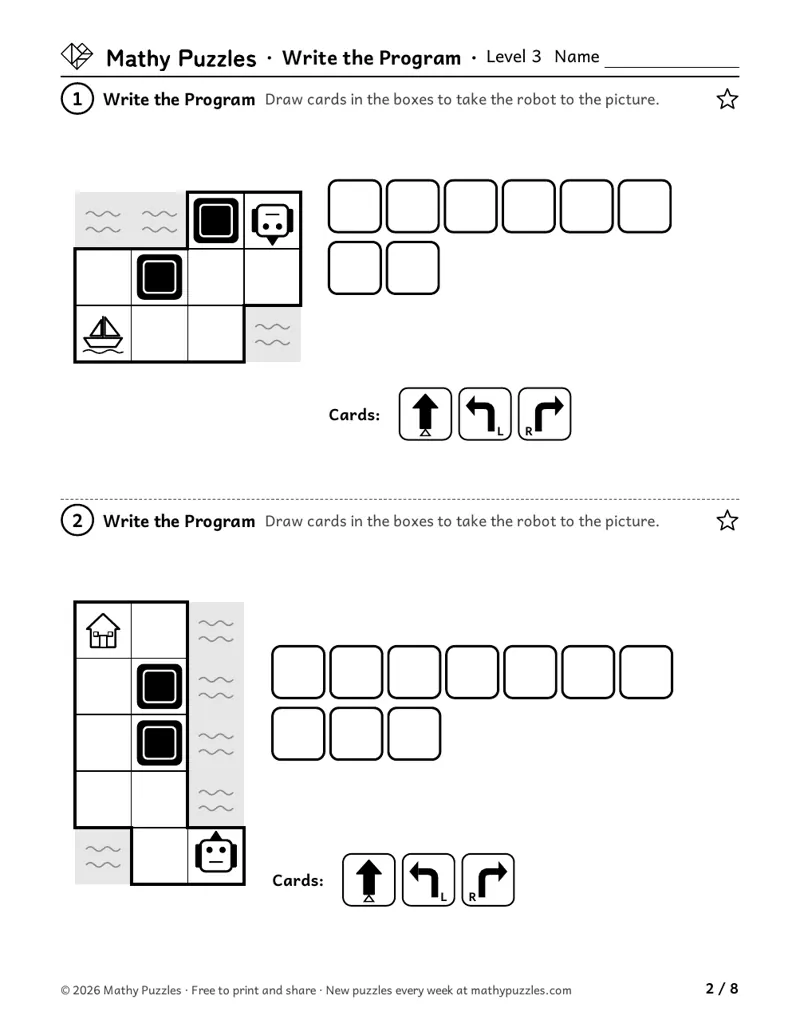
Turn cards (forward, turn left, turn right) instead of arrows, apples, forward numbers, and a tempting shortcut that skips an apple.
On the sheet: “Draw arrows in the boxes to take the robot to the picture.”
Print Level 3 (Letter)Other paper size: A4
How it works
A grid shows a robot, some rocks and a picture to reach. Below it is a row of empty boxes. The child writes a program, one arrow card per box, that takes the robot to the picture without hitting a rock. The number of boxes is the fewest cards that will work, so the child has to plan the shortest way.
How to play
- Find the robot and the picture. Trace a way between them with your finger, going around rocks.
- Count the boxes. Your program must use exactly that many cards.
- Fill the boxes in order, one card in each box.
- Run your program: move a finger along, card by card. Does the robot stop on the picture?
When it gets hard
Going the way that looks shortest and running into a rock.
Hint: Trace the whole route with a finger before writing any arrows.
A route that works but uses more boxes than there are.
Hint: Count the boxes first. Is there a way with fewer turns?
At Level 3, mixing up the robot's left with your left.
Hint: Turn the page so the robot faces up, then decide left or right.
Tip for grown-ups: Act it out: one person reads the arrows aloud, the other walks the steps across the floor tiles.
Frequently asked questions
- Is this coding?
- It's the thinking behind coding: a plan written as steps, then run exactly as written. No screen is needed.
- How do we check a program?
- Run it card by card with a finger. A program is right if it fits the boxes and takes the robot to the picture without hitting a rock. From Level 2 it must also pick up every apple. The answer shown is one example. A longer program that also gets there is a good start: now look for a shorter one.
Questions about printing, levels, answers or membership: see all questions.
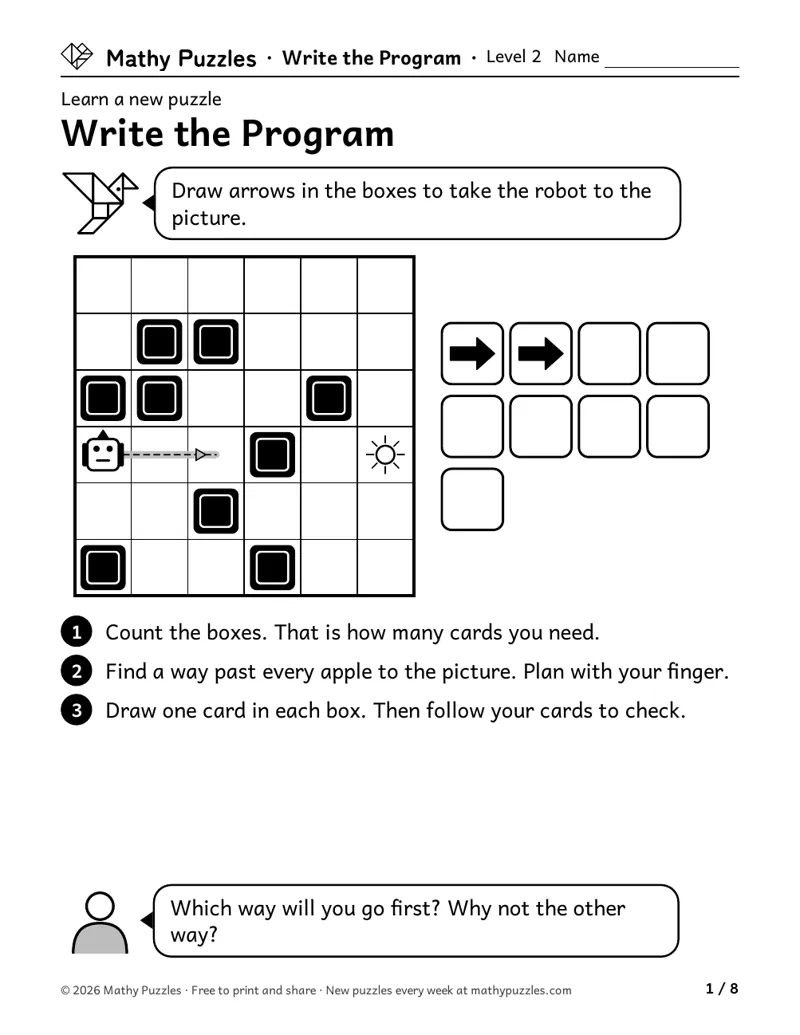
Worked example
From the Level 2 Learn sheet
- Count the boxes. That is how many cards you need.
- Find a way past every apple to the picture. Plan with your finger.
- Draw one card in each box. Then follow your cards to check.
A question to ask: “Which way will you go first? Why not the other way?”
Free every Sunday A mixed bag of 20 new puzzles, all four levels. Get them by email
The thinking it works on
Putting steps in order
Turns a route into a list of moves, then runs it with a finger.
Bers and colleagues (2014) found that in three kindergarten classes, about three-quarters of the children put a robot's instructions in the right order in their first programming activity. Source
Planning ahead
Sees the whole route around the rocks before writing the first arrow.
Unterrainer and colleagues (2013) followed 4- and 5-year-olds for a year. Puzzles needing a few moves planned ahead were harder than ones needing none, and were solved more often with age. Source
Testing and fixing a plan
Walks the finished program and fixes the box where it went wrong.
In the same kindergarten study, Bers and colleagues (2014) scored four steps of fixing a program, from noticing the problem to trying a fix. Average scores sat between 'partly' and 'mostly'. Source
Direction and position words
Uses up, down, left and right, then forward and turn.
Pruden, Levine and Huttenlocher (2011) followed 52 families: toddlers who used more space words (such as big, tall and edge) did better on spatial puzzles at 4½. Source
Seeing it from the robot's side
Imagines facing the robot's way before choosing a turn card.
Roberts and Aman (1993) found that 6- and 8-year-olds who named left and right correctly from another person's turned position seemed to turn themselves in the mind. Source
Counting moves and grouping repeats
Counts a straight run and writes one numbered card for it.
Resisting the tempting shortcut
Notices a tempting shortcut that skips an apple and goes the right way.
Gerstadt, Hong and Diamond (1994) found that children under 5 struggled to say 'day' to a moon card and 'night' to a sun card. Two plain rules were easy for them. Source
Where is this thinking used?
- Instructions and recipes: Someone else follows the steps exactly as written.
- Directions: Giving directions, or reading a map, one move at a time.
- Programming: A computer or robot runs a list of steps without you.
- Route planning: Errands or deliveries with stops in the right order.
For teachers
Curriculum areas
- Common Core
- Geometry: describing position with words like above, below, beside and next to (Kindergarten)Levels 2–3: No direct curricular match.
- NCERT
- Maths Mela: moving step by step on a grid (Class 4) and following turn-by-turn directions (Class 3)Level 1: No direct curricular match.
- Computer science (CSTA)
- Planning a program as an exact list of steps, and choosing the best of several routes (algorithms and programming, ages 5–11)
- National Curriculum (England)
- Geometry – position and direction: describing movement and turns (Years 1–2)
- Cambridge Primary Mathematics
- Geometry and measure: position, direction and movement; turns (Stages 1–3)
Math practices: see the box below.
Math practices this puzzle uses
- Uses: MP1 Make sense of problems and persevere in solving them
- Not used: MP2 Reason abstractly and quantitatively
- Not used: MP3 Construct viable arguments and critique the reasoning of others
- Not used: MP4 Model with mathematics
- Not used: MP5 Use appropriate tools strategically
- Uses: MP6 Attend to precision
- Not used: MP7 Look for and make use of structure
- Not used: MP8 Look for and express regularity in repeated reasoning
From the Common Core Standards for Mathematical Practice.
More Write the Program puzzles for members
Members get at least 5 more worksheets at each difficulty for every puzzle, 80 new puzzles every Sunday, and the whole archive. $39 a year or $25 for 6 months.
See membershipNot ready yet?
One email, all four levels: 20 puzzles, 5 for each level.
For grown-ups (18+). One email every Sunday with the puzzles and the odd note about membership; unsubscribe any time. We never ask about your child. How we use your email